Your last set, in sight.
See previous weights and reps while you log your next set.
 KYLOG
Your gym tracker & routine planner
Plan your gym workouts, log weights and reps, and follow your strength training progress with Kylog.


Built for the work you put in.
Plan your session. Find your rhythm. See what changes.
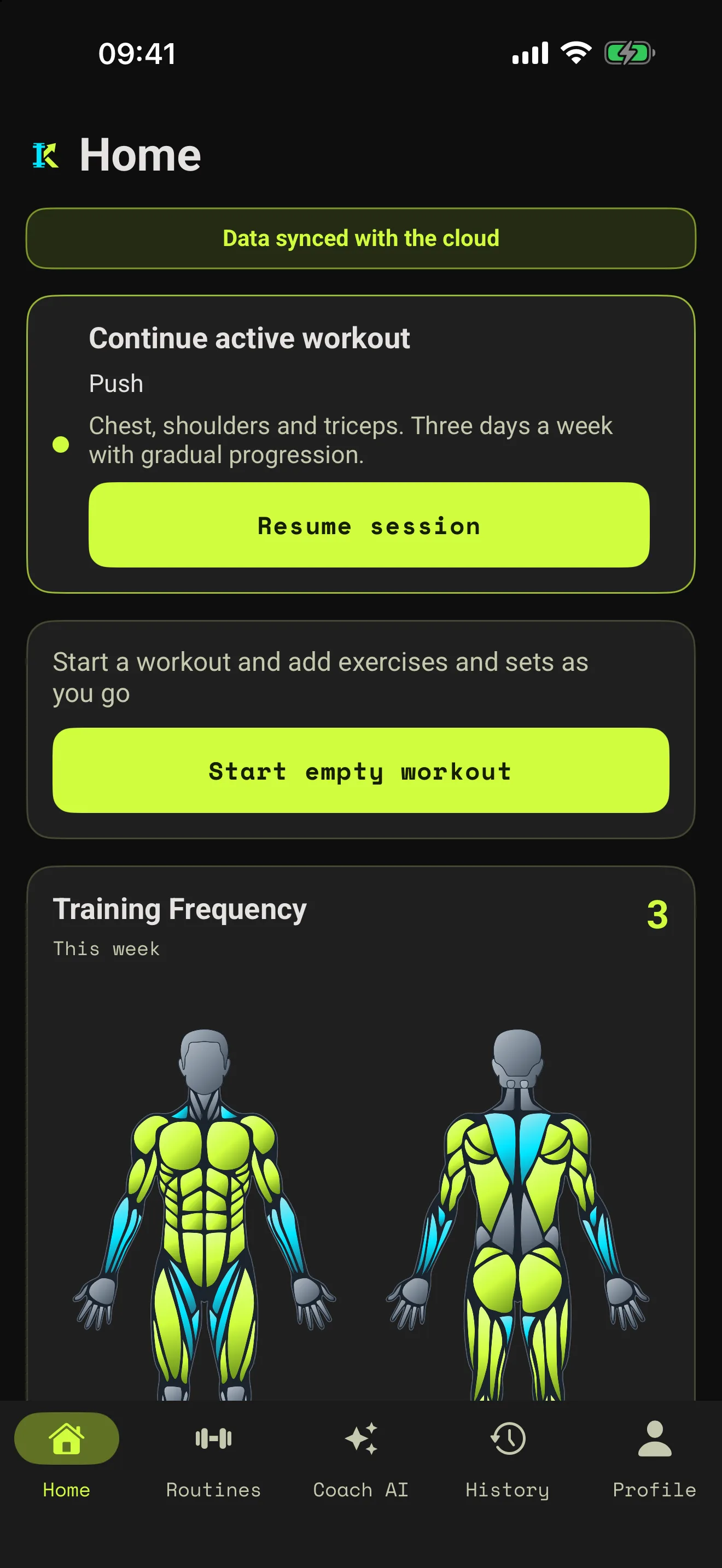
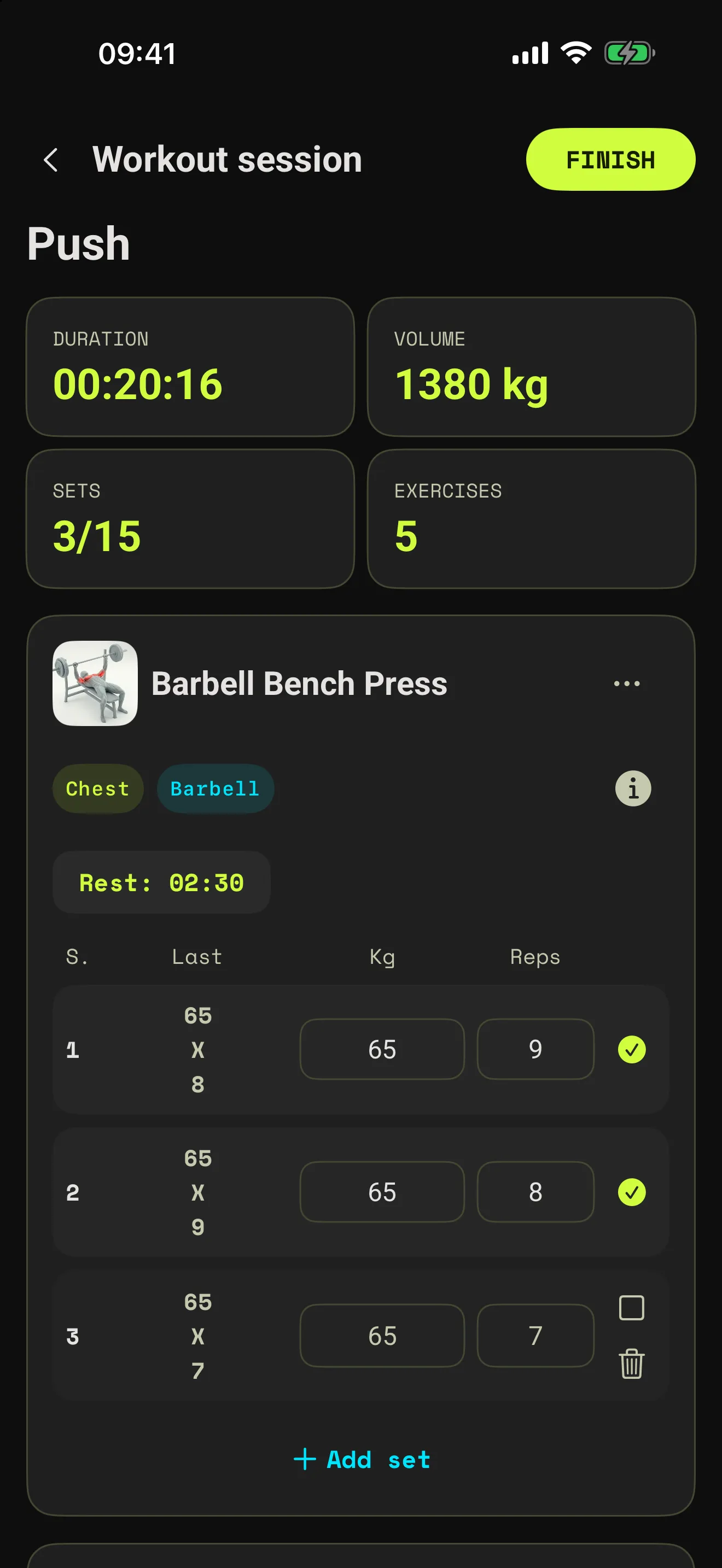
Real iOS app screens · Demonstration workout data
One app. Your whole training journey.
From choosing your exercises to looking back at a personal best. Keep every part of your strength training connected.
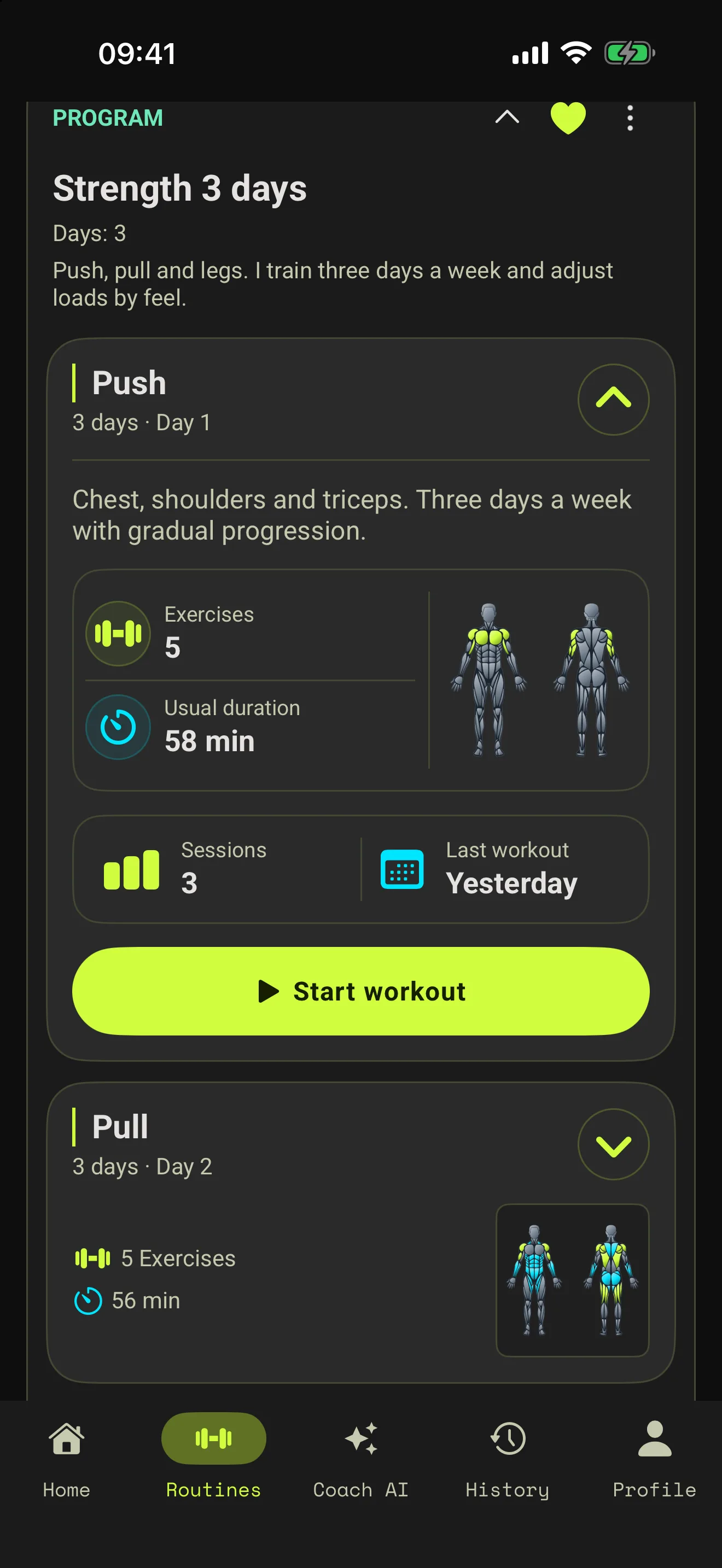
01 / Workout routine planner
Start with a ready-made routine template or build your own. Organize training days into a program, choose your exercises, and keep your favorite routines ready on Home.
Meet Coach AI
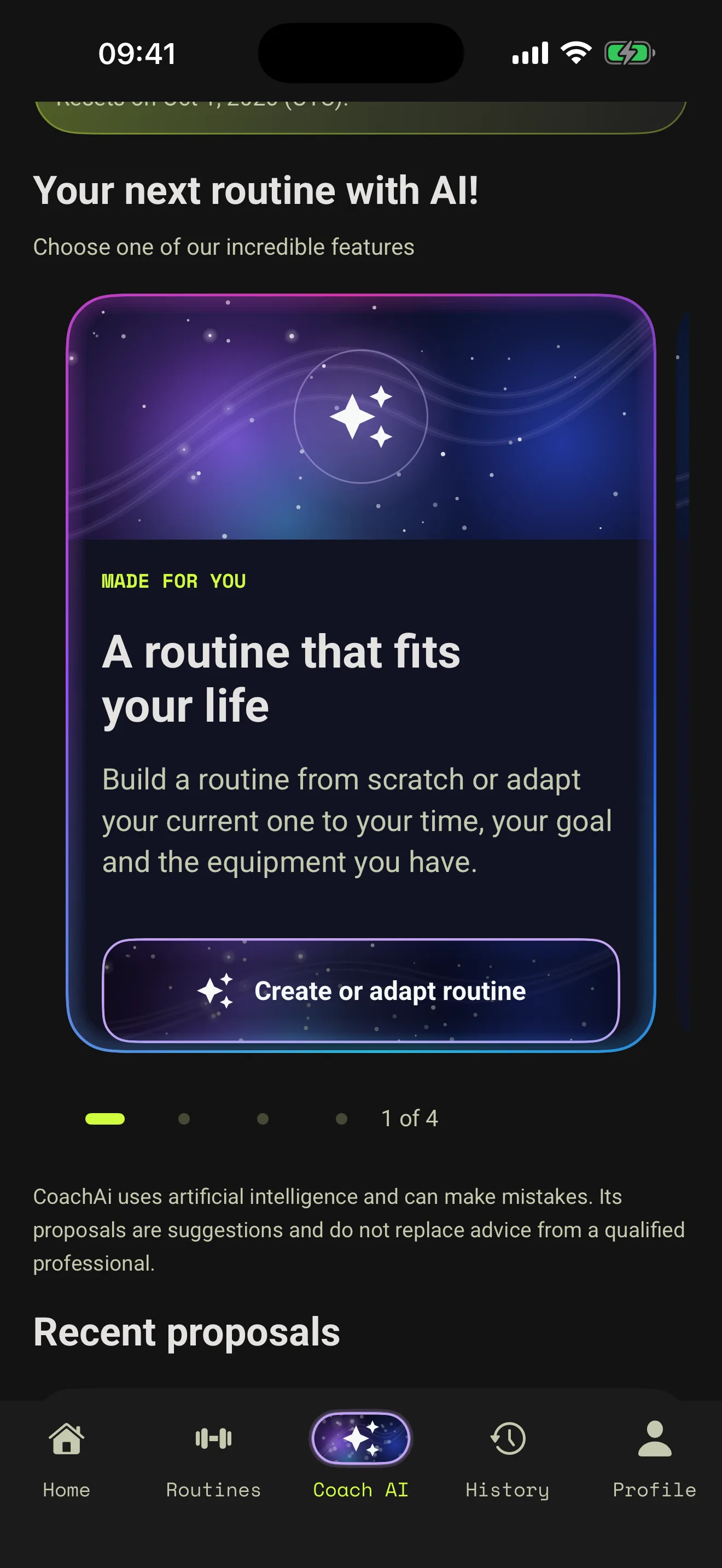
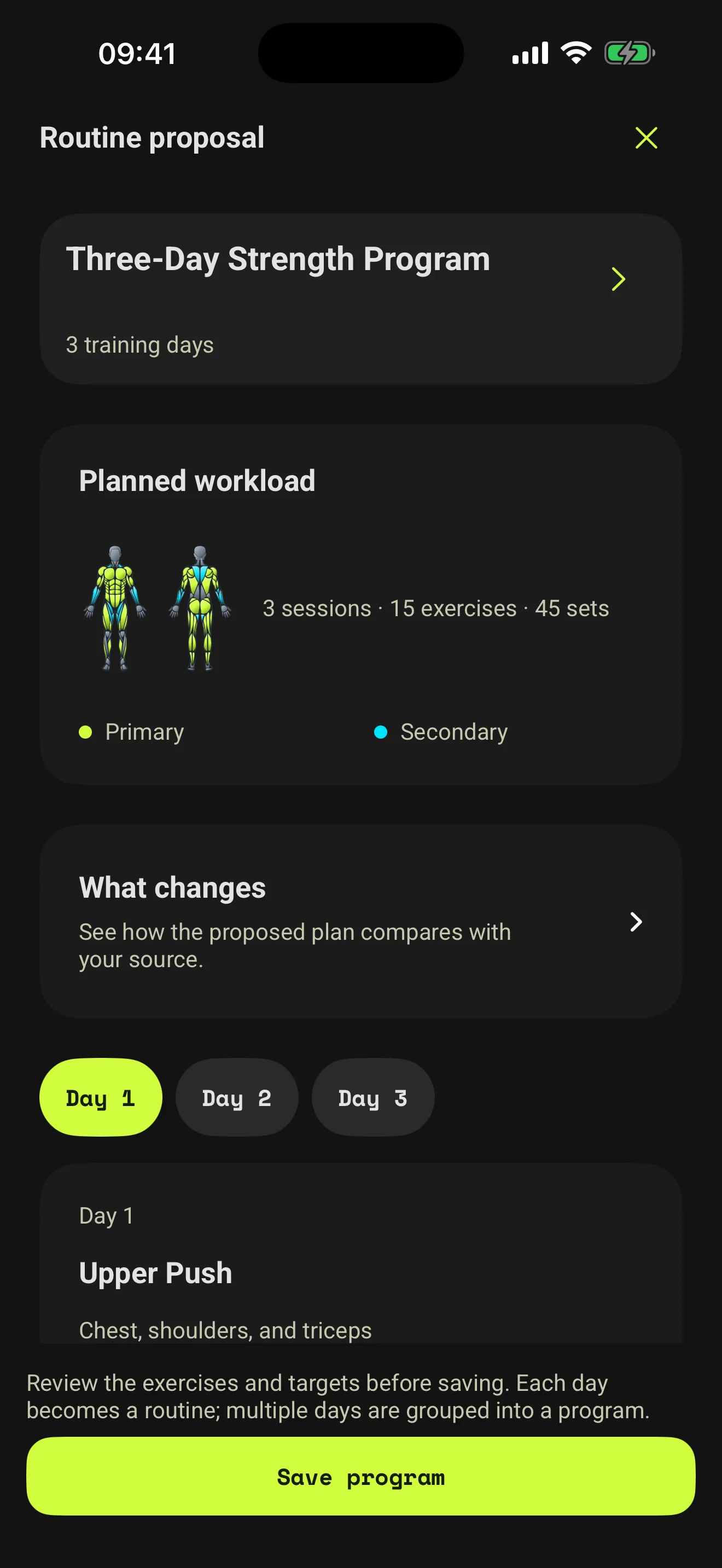
Create or adapt a routine around your goal, available equipment and training days. Coach AI brings you a proposal to review, with the exercises and planned workload in one place.
AI proposals are suggestions. Review the exercises and targets before saving.
02 / Gym workout tracker
Log weights, reps and timed sets with your previous performance right beside you. Check off a set, catch your breath, and let the rest timer handle the countdown.
Learn how to log a workoutSee previous weights and reps while you log your next set.
Add time, shorten the break or skip it. Follow your session on your lock screen.
Log workouts offline. Your account sync catches up when you’re connected again.
03 / Strength training progress
A little more weight. Another rep. One more session. Give the work you put in a place to add up.
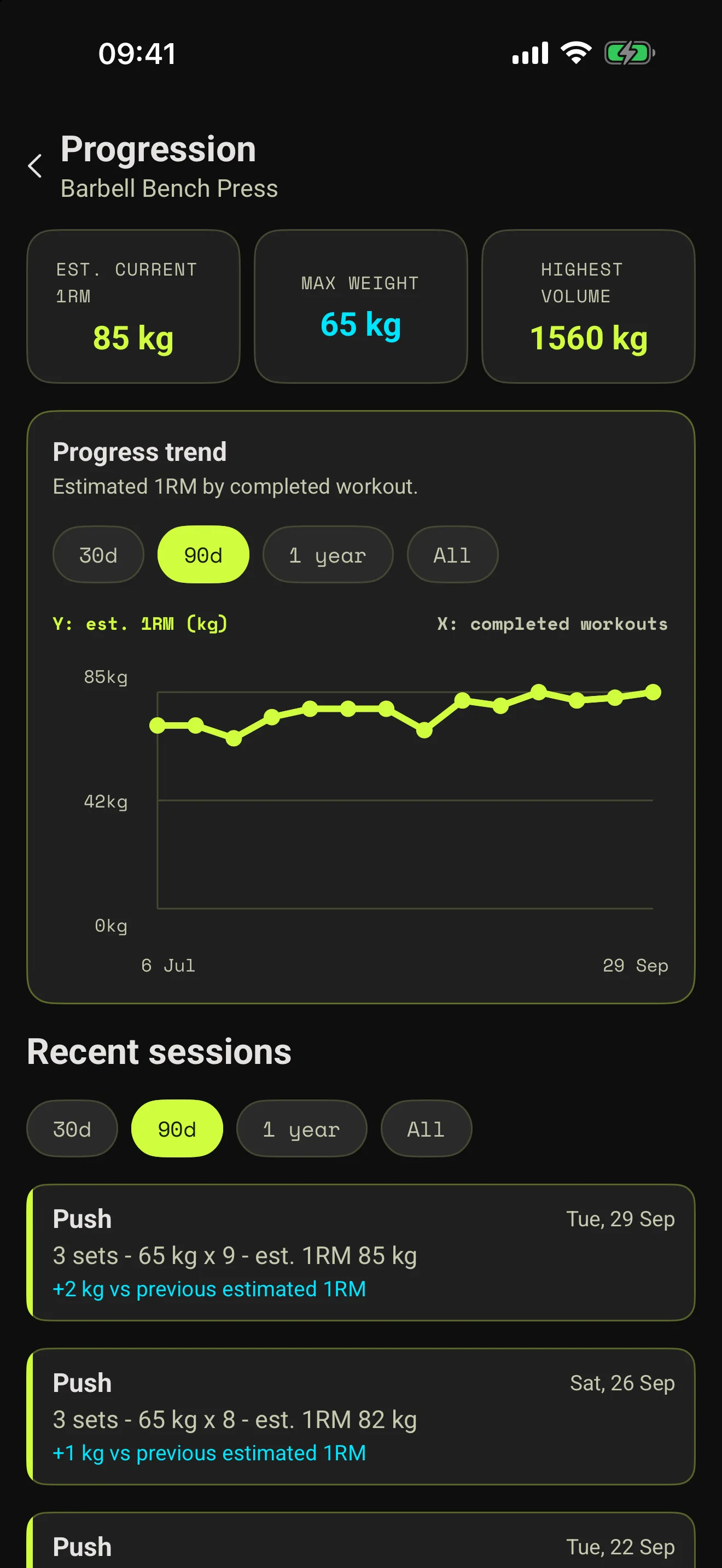
Follow each exercise with estimated one-rep max trends, maximum weight and recent sessions.
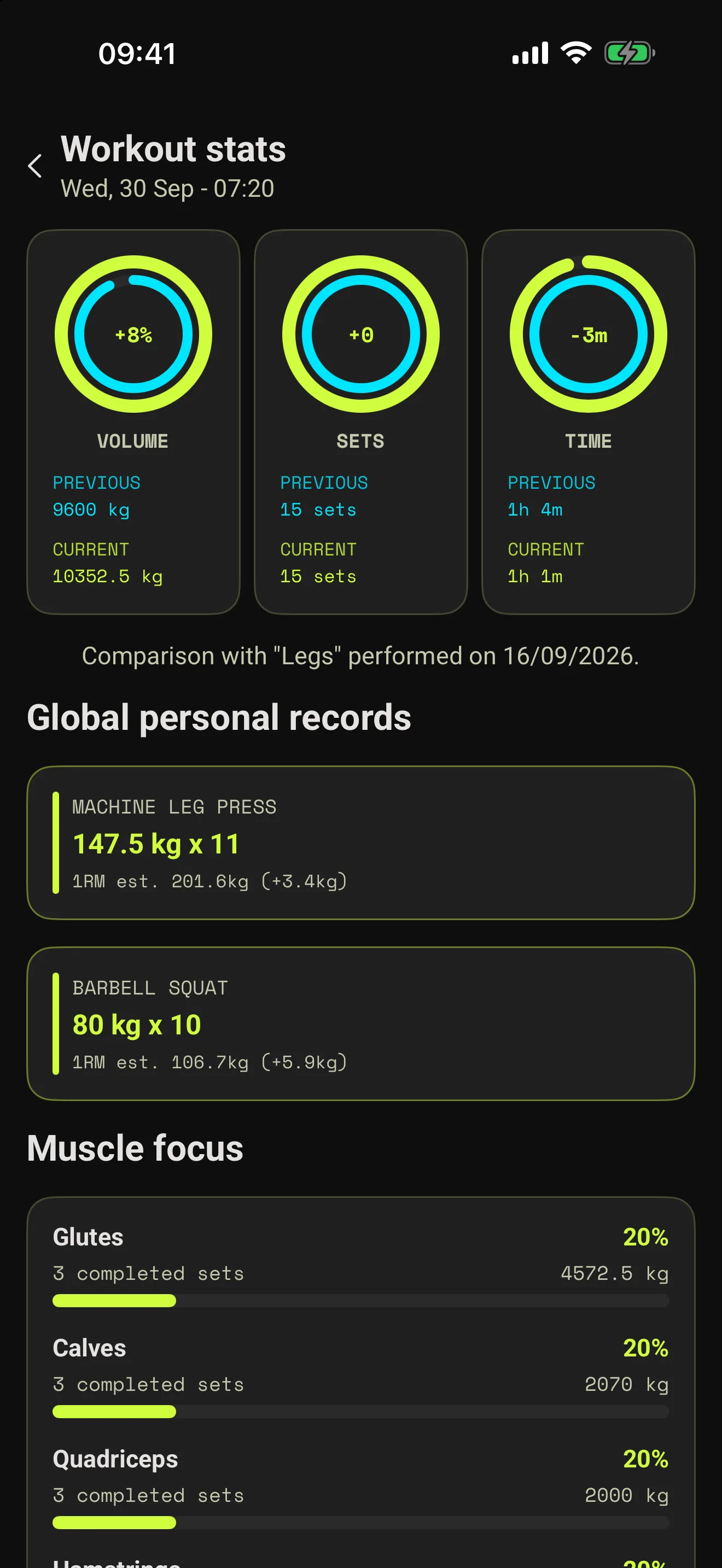
Compare volume, sets and training time. See personal records and how your effort breaks down by muscle.
Real iOS app screens · Demonstration workout data
Understand your workout progress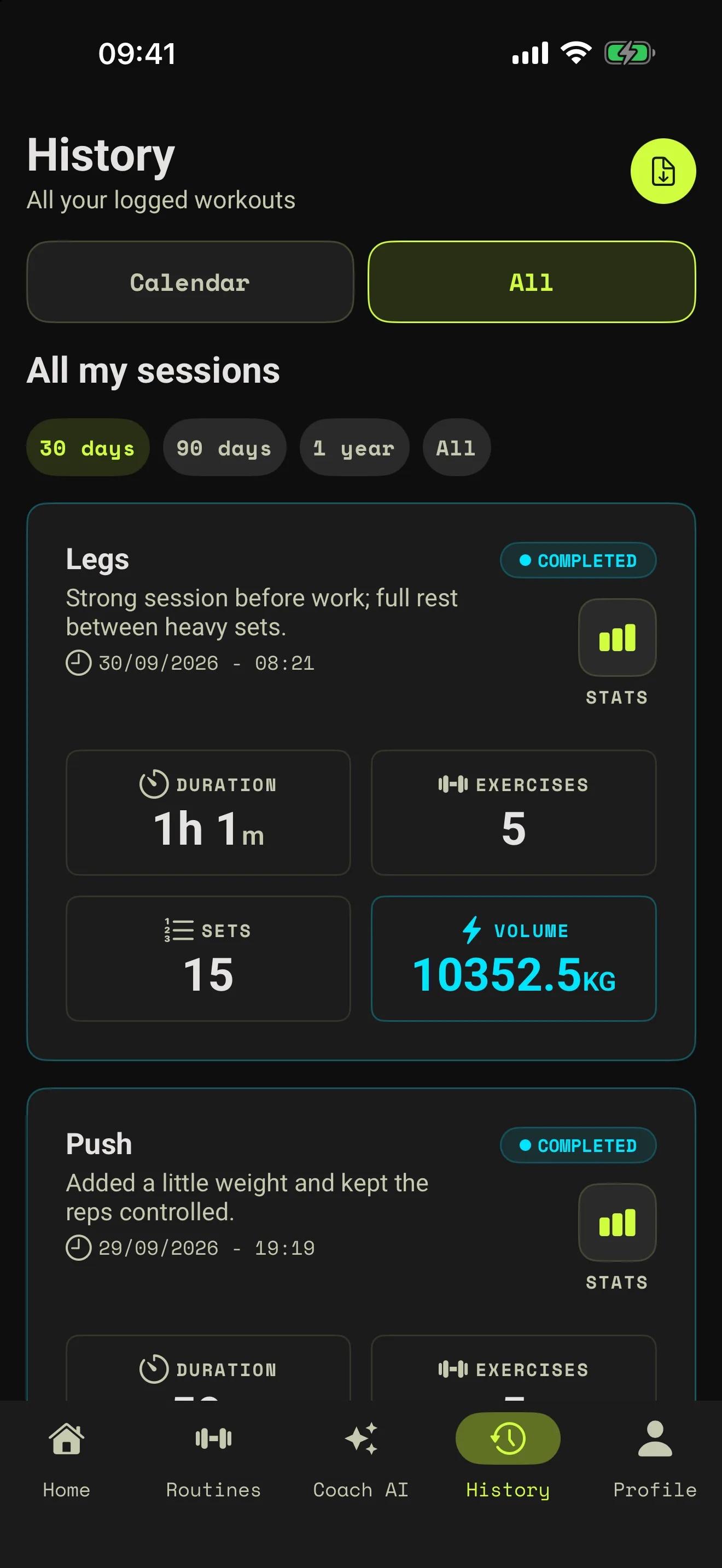
Your workout history
Find your completed workouts in a calendar or list. Revisit the exercises, sets and volume, and pick up the thread of your training.
04 / Workout sharing
Turn a completed workout into a card, or put your stats over your own photo or video. Your session. Your style. Your story to share.
Explore workout sharing
Yes. Start with a routine template when you’re not sure where to begin, then log your workouts as you train. You can also build your own routines.
Yes. Build a routine with your exercises, organize your training, and reuse it for your next session. Favorite routines appear on Home, and you can also save a completed workout as a routine.
Log weights, reps and timed sets. See workout volume, training time, muscle focus and personal records, then follow your exercise progress over time. The Progress overview also brings together lifetime volume, sessions, streaks and your best lifts.
Yes. Choose a workout design or add a minimal, performance or streak card to your photo, with a light, dark or lime theme. You can also overlay your workout stats on a short video, adjust the frame, trim the clip and keep or mute its sound.
Yes. Completing a set starts its exercise’s configured rest timer. Add or remove 15 seconds, or skip the break when you’re ready. Your session and rest countdown are also available on your lock screen.
Yes. Workout logging uses data stored on your device, so you can keep training offline. Account sync catches up when a connection is available; the status on Home shows whether data is synced, pending or needs attention.
Yes. You can log your workouts and start organizing your routines with the free version of Kylog. Premium increases the limits for routines, programs and custom exercises, and adds more features. You can review the available options, prices and terms in the app.
Yes. Coach AI helps you create or adapt a routine based on your goal, the days you can train and the equipment available. Review the proposal before saving it as a routine or program. Coach AI uses credits, and you can check your balance in the app.
Yes. You can group your routines into a program to organize different training days, such as upper- and lower-body sessions or several full-body days. Your routines stay together, ready for you to choose the one you want to follow in each session.
Yes. Kylog lets you share routines and programs through a link. The other person can review the content and save a copy to their account, within the limits of their plan. Each copy is independent: their changes will not modify your original routine.
Yes. During a workout, Kylog shows your previous records alongside your current sets, giving you a reference for what you did last time. You can also review your workout history and each exercise’s progress to compare your results between sessions.
Yes. You can create custom exercises when you cannot find the movement you need in the catalog and use them in your routines and workouts. The number of custom exercises you can save depends on your plan.
Yes. Kylog lets you export your workouts as PDF, Excel, text or JSON. You can save a copy, share it with your coach or analyze your records in a spreadsheet. The history period you can export depends on your plan.
Your next session starts here
Your gym tracker and routine planner. Ready for the work ahead.